Switch Claude Code accounts without leaving VS Code.
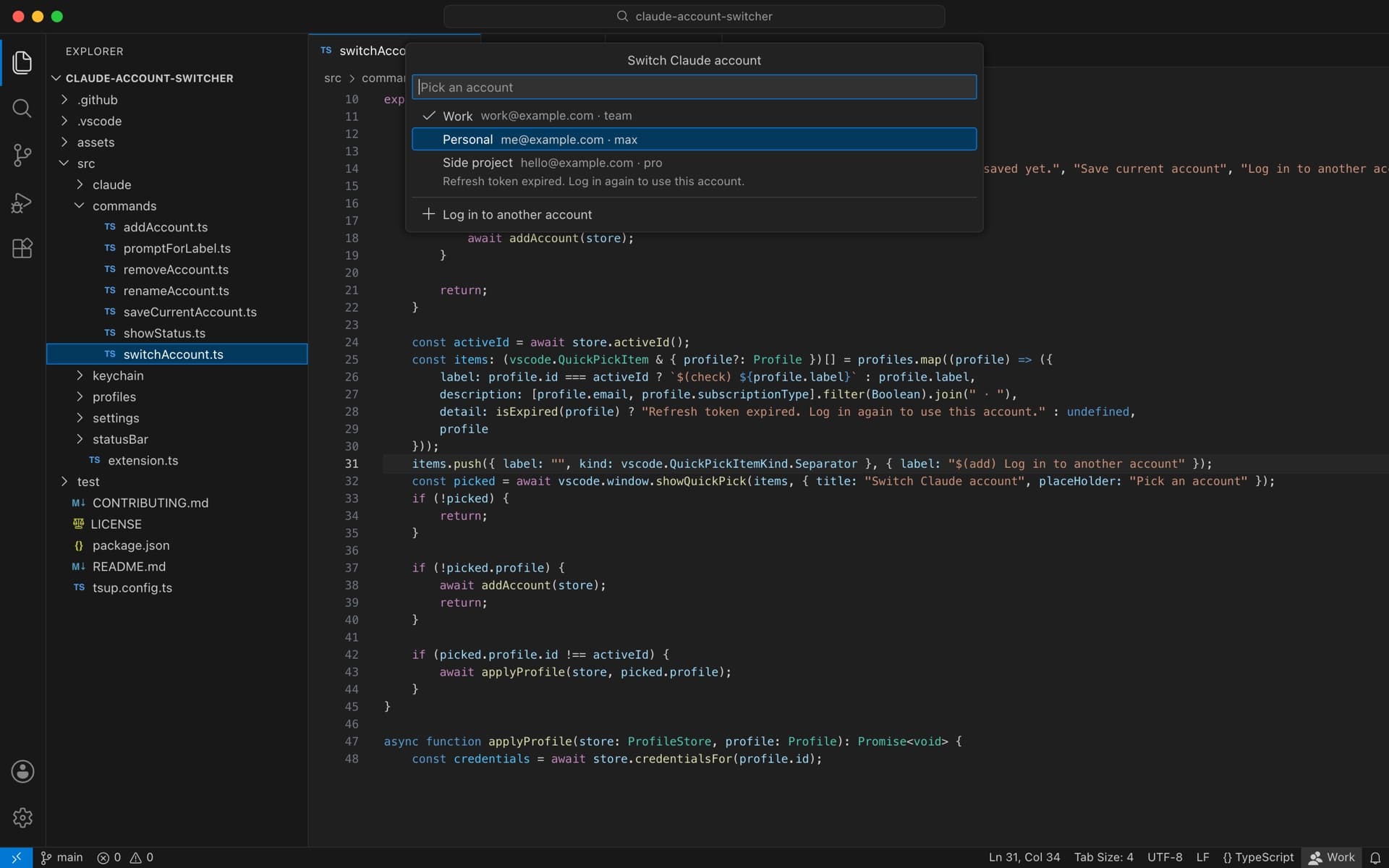
claude-account-switcher is a VS Code extension for Claude Code on macOS, Linux, and Windows. Click the account in the status bar, pick another, and Claude Code signs in as that account. Every account shares one set of conversations, projects, and settings.
I keep more than one Claude account, and the switcher I tried could not find the login on a Mac. So I built one in an afternoon and had it ready to open source that evening.
Timeline
September 16, 2026, afternoon
The login was somewhere else
The switcher I installed swapped a credentials file in ~/.claude. On macOS, Claude Code keeps its login in the Keychain instead, and a token refresh removes that file, so swapping it changed nothing.
September 16, 2026, afternoon
One history, many logins
A separate config folder per account would have worked, but it splits conversations, projects, and settings apart. I wanted them shared, so the extension keeps one ~/.claude and swaps only the Keychain item. Reading the Claude CLI showed how it names that item, including the hash it adds when CLAUDE_CONFIG_DIR is set.
September 16, 2026, 4:11 pm
Switching, eight minutes later
Built, installed, and switching accounts eight minutes after deciding to make it. The token format came from the CLI and was tested against throwaway Keychain items, never a real login.
September 16, 2026, evening
Ready for open source
A release pass in under half an hour: one function per file, a tsup build, full docs, and a test suite held at 100% coverage in CI. Each regression test was checked by putting its bug back and watching the test fail.
- Tokens reach the macOS security tool over stdin, never the process list
- Every Keychain write is read back and compared before it counts
- Rotated tokens are saved before each switch, every five minutes, and when VS Code closes
- Every window reads state from disk and writes atomically, so one never saves over another
September 16, 2026, night
Every platform
Linux and Windows keep Claude Code's login in a credentials file instead of a Keychain, so the extension swaps that file there and keeps each saved account's tokens in the editor's secret storage. A Mac uses the same file when the Keychain turns a write away, such as over SSH.
Up next
Marketplace and Open VSX
A version bump publishes to the VS Code Marketplace and Open VSX and cuts a GitHub release, so Cursor, Windsurf, and VSCodium can install it too.
Impact
- One click in the status bar to move between accounts, with one shared history.
- Tests held at 100% coverage in CI, plus tests that run against the real Keychain.
- No network requests and no telemetry, and saved tokens never leave the Keychain or the editor's secret storage.
My role
Sole author and maintainer: the extension, the tests, CI and releases, and the docs.
- TypeScript
- VS Code
- macOS Keychain
- Vitest
- GitHub Actions